Virtual campus : definition, benefits & uses (2026)
What is a virtual campus, how does it benefit corporate training, and how do you roll one out ? A complete guide with insights from the field.
Keeping employees engaged behind a screen has become one of the biggest challenges for L&D teams. Traditional remote formats are showing their limits : declining attention, isolation, and difficulty conveying a real company culture.
In response, the virtual campus is emerging as a practical way to rebuild connection and engagement. Far from being a tech gimmick, it is a core tool for upskilling teams.
What is a virtual campus ?
From LMS platforms to persistent worlds
Historically, the idea of an online campus referred to LMS (Learning Management System) platforms. These asynchronous spaces are very useful for centralizing resources (PDFs, videos, quizzes), but they remain catalogs that users often find cold and isolating. Today, a virtual campus is a persistent, structured digital environment. Learners no longer log in just to "consume" content: they enter a shared space. They run into colleagues, interact in real time, and follow a seamless learning path, sometimes even guided by artificial intelligence that personalizes their recommendations.
The shift to immersive 3D and VR campuses
The real paradigm shift comes with the integration of extended reality (XR) technologies. The virtual campus then becomes a three-dimensional environment, accessible from a simple web browser or a VR headset.
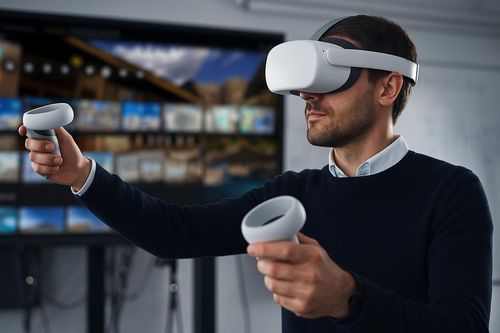
In this setup, we are talking about immersive learning : users embody an avatar and can handle virtual objects, take part in collaborative workshops, or step away into a virtual conference room. This virtual reality approach (and sometimes augmented reality) lets learners move straight from theory to practice.
The benefits of a virtual campus for training
B2B companies are adopting these environments because of measurable results in the field : by putting learners in a hands-on context rather than a passive listening one, knowledge retention is significantly stronger.
Post-training confidence : according to a benchmark study by PwC, employees trained in VR feel 275% more confident applying what they learned on the job (PwC source).
Lower logistics costs : travel, venue rental and accommodation costs are drastically reduced, making training accessible to an entire international workforce with no geographic constraints.
Safe learning : employees can practice high-risk situations (handling hazardous materials, crisis management) in a completely safe environment.
Virtual campus vs physical campus vs 2D vs 3D
To understand where the virtual campus fits, it helps to compare it with other existing formats. It is not meant to replace in-person training, but to become part of a blended learning strategy.
Physical campus (in person) : Irreplaceable for deep team cohesion and informal exchanges. Drawbacks : very expensive and hard to organize at scale.
2D video conferencing (Zoom / Teams) : Convenient for quick top-down information sharing. Drawbacks : screen fatigue, passive audiences, no way to practice.
3D campus (on PC) : Easy to access via a simple web link, it lets users move around with an avatar and recreates a spatial layout (classrooms, break areas).
Immersive campus (VR) : The ultimate format for an immersive experience. Cut off from outside distractions by their headset, users are 100% focused on interactive simulations.
The immersive virtual campus : when VR enters training
Virtual reality transforms the act of learning. It is no longer about clicking through slides, but about living realistic scenarios.
A concrete example : the Inversive Lobby
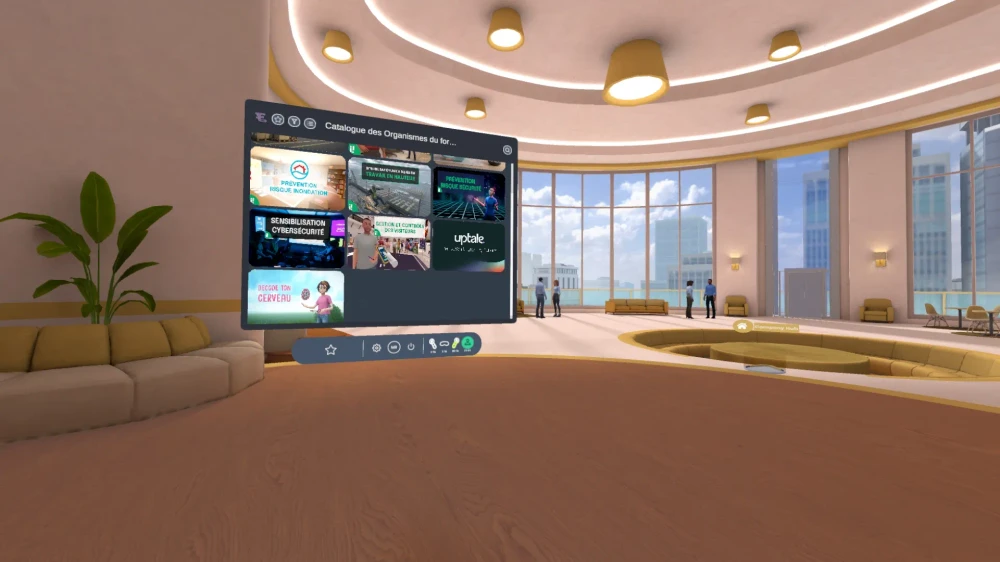
At Inversive, we brought this concept to life with our welcome lobby. It acts as the gateway to your training ecosystem.
Customizable with your company's branding, it welcomes learners in a reassuring, intuitive setting. From this central space, they can chat, check their progress statistics, then launch specific modules from your turnkey training Catalog.
Customer case : onboarding in manufacturing
Recently, an industrial group with 3,000 employees rolled out our Lobby to standardize its HR onboarding. Previously, new hires spent two days in a classroom watching presentations on safety and company culture.
How to set up a virtual campus (and the mistakes to avoid)
Launching an immersive environment takes method. Based on our field experience, here are the steps to follow and, above all, the pitfalls to avoid :
Define the use case before the tool : Don't start with the technology.
Identify the learning pain point first : Are you trying to reduce workplace accidents? Improve onboarding?
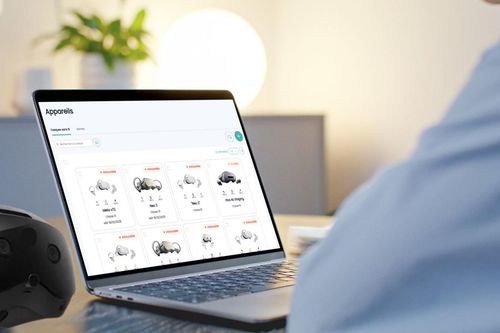
The hardware mistake (buying headsets too early) : Many companies order 200 VR headsets without defining their deployment policy (MDM) or their content. Make sure you have a robust fleet management solution in place.
The design mistake ("copy-pasting" reality) : There is no point investing to replicate a dull gray meeting room in VR. Use the tool's potential to design environments that are impossible to access in real life (on an oil rig, inside an engine, etc.).
Plan for change management : Technology can be intimidating. Train a core group of internal champions who can guide new users through their first sessions.
FAQ
1. What is a virtual campus ?
It is a digital environment, often in 3D or virtual reality, that simulates the spaces of a physical training center to enable social interaction and remote learning.
2. What is the difference between a virtual campus and e-learning ?
Traditional e-learning is usually individual, asynchronous and passive (reading, videos). A virtual campus is collaborative, often synchronous, and encourages hands-on practice through immersion.
3. How do you create a virtual campus ?
The best approach is to rely on an existing technology platform (CMS/MDM) that handles deployment and hosting, and customize it with your brand guidelines and learning paths.
4. What tools do you need for a virtual campus ?
Depending on the level of immersion you want, it can be a simple computer with a web browser, or a standalone VR headset (such as Meta Quest or Pico) paired with management software.
5. How much does a virtual campus cost ?
The pricing model is often based on a monthly software license per user or per headset (similar to SaaS offerings), plus the cost of hardware and custom content creation.
6. Does a virtual campus replace in-person training ?
No, it complements it. By taking on the technical content and complex practice sessions, it frees up in-person time to refocus on people and relationships.
Why choose Inversive ?
A successful VR training rollout requires mastering both hardware logistics and learning relevance.
As a European provider, hosted in Europe with full sovereignty over your data (GDPR), Inversive offers the essential trio: a Catalog of turnkey experiences, a Lab for your custom projects and, above all, a deployment Platform (integrated CMS and MDM) to manage your entire headset fleet remotely.